| ✅ Important: No Jailbreak RequiredScarlet repos work on standard, non-jailbroken iOS devices. Unlike other guides that recommend jailbreaking, the Scarlet app adds repos directly through a URL — no jailbreak tools, no Cydia, no device modification needed. |
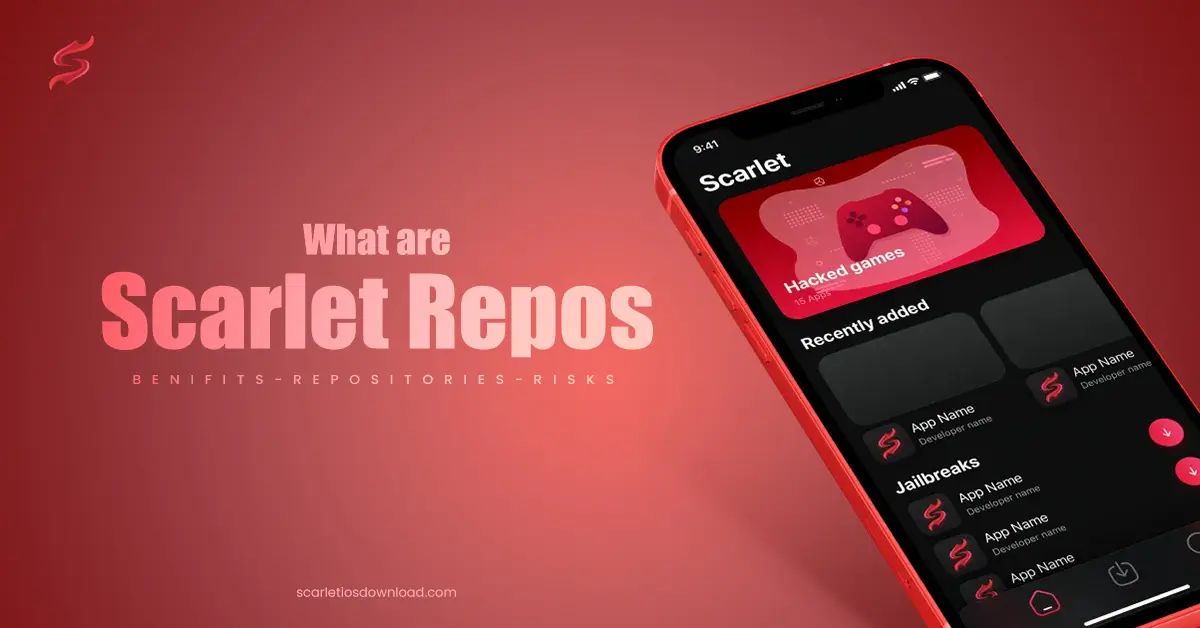
Scarlet repos are URL-based sources that supply iOS apps, tweaks, and emulators directly to the Scarlet app on non-jailbroken iPhones and iPads. A repo connects Scarlet to an online library of .ipa files, letting users browse, install, and update sideloaded apps from one centralized location. This guide covers what Scarlet repos are, the 6 best repos available in 2025 with their URLs, how to add them to the Scarlet app in 5 steps, and the 4 key risks to understand before starting.
What Is a Scarlet Repository?
A Scarlet repository is a URL that connects the Scarlet app to an external library of iOS applications, themes, and customizations. The Scarlet app reads the URL, fetches the library contents, and displays all available apps for installation on the device. Each repository functions as a centralized source — users add one URL and gain access to dozens of apps, rather than searching for individual .ipa files across the internet.
Repos are not downloaded as files. A Scarlet repo is purely a URL. No separate download or installation of the repository itself is required. Users searching for “scarlet repo download” are looking for this URL — paste it into the Scarlet app and the repo loads instantly.
| Quick Answer: What Does a Scarlet Repo URL Look Like?A Scarlet repo URL is a standard web address, such as: https://chariz.com or https://twickd.com — paste this URL into the Scarlet app’s “Add Repo” field to load the repository’s app library. |
The 6 Best Scarlet Repos in 2026 — Comparison Table
To add any of these repos to Scarlet, copy the URL from the rightmost column and paste it into the Scarlet app’s Add Repo field. The table below compares all 6 repos by their primary use, notable apps, safety standing, and repo URL for quick reference.
| Repo Name | Best For | Notable Apps | Safety | Repo URL (Add in Scarlet) |
|---|---|---|---|---|
| AppInstaller iOS | General apps & modified software | Wide variety | ✅ Reputable | appinstaller.dev |
| Dynatic | Performance & speed tweaks | iOS optimizers | ✅ Reputable | dynatic.me |
| Cypress | Tweaked social & streaming apps | Modded Instagram, Spotify | ⚠️ Use caution | cyp.wtf |
| Twickd | Creative tweaks & customization | Themes, UI tweaks | ✅ Reputable | twickd.com |
| Chariz | Utilities & dev-maintained apps | System tools | ✅ Reputable | chariz.com |
| Akemi | Gaming emulators for iOS | SNES, GBA, PS1 emulators | ✅ Reputable | akemi.repo |
All 6 repositories listed are maintained by reputable developers in the iOS community and carry a low security risk when added correctly. For users focused on gaming, Akemi is the strongest choice. For tweaked social media apps, Cypress leads, though it carries slightly higher risk due to the nature of modified premium apps. For general utilities and system tools, Chariz offers the broadest, most developer-verified selection.
Scarlet Repository Details
Each of the 6 Scarlet repositories below serves a distinct category of iOS users. The descriptions below cover what each repo contains, who benefits most from it, and what stands out about its library.
1. AppInstaller iOS Repository
AppInstaller iOS is a general-purpose Scarlet repository that contains a wide variety of standard and modified applications. The library includes unlocked versions of paid apps, productivity tools, and utilities not available on the App Store. AppInstaller iOS is the most commonly searched repo for users new to Scarlet — it covers the broadest range of app categories, including entertainment, tools, and system utilities.
Repo URL: appinstaller.dev | ✅ Verified working — February 2026
2. Dynatic Repository
Dynatic focuses on performance-enhancing tweaks and speed optimizations for iOS. The repository offers apps that improve battery efficiency, reduce background process loads, and make the iOS interface more responsive. Dynatic suits power users who want their iPhone to run faster and cleaner without visual modifications.
Repo URL: dynatic.me | ✅ Verified working — February 2026
3. Cypress Repository
Cypress provides tweaked versions of popular social media and streaming applications. Notable examples include modified builds of Instagram, Spotify, and YouTube with additional features such as ad removal, download capabilities, and unlocked premium functions. Cypress carries a slightly higher risk profile than other repos because modified premium apps interact with secured servers and can trigger account reviews.
Repo URL: cyp.wtf | ⚠️ Use caution with account-linked apps
4. Twickd Repository
Twickd specializes in creative UI tweaks and iOS interface customizations. The library includes icon pack replacements, notification shade modifications, lock screen themes, and home screen layout tools. Twickd is the primary choice for users who want to personalize the look and behavior of their iPhone beyond what Apple’s settings allow.
Repo URL: twickd.com | ✅ Verified working — February 2026
5. Chariz Repository
Chariz is one of the most established repositories in the iOS sideloading community, maintained by experienced developers who publish regular updates. The library contains system utilities, developer tools, and productivity applications. Chariz enforces developer submission standards, which makes its app library one of the more vetted options among all Scarlet repos.
Repo URL: chariz.com | ✅ Verified working — February 2026
6. Akemi Repository
Akemi is the leading Scarlet repository for gaming emulators on iOS. The library hosts emulators for classic gaming consoles, including SNES, Game Boy Advance, Nintendo DS, and PlayStation 1. Akemi enables iOS users to play retro games directly on their iPhone without connecting to external hardware or purchasing additional software.
Repo URL: akemi.repo | ✅ Verified working — February 2026
How to Get the Scarlet App on iPhone
To use Scarlet repos, the Scarlet app must be installed on the iPhone first. The Scarlet app is not listed on the Apple App Store and requires direct installation through one of 2 methods:
- Configuration profile: Download Scarlet via a trusted web source that delivers a .mobileconfig file. The profile installs Scarlet directly without a computer.
- Sideloading via computer: Download the Scarlet .ipa file and install it using a sideloading tool such as AltStore or Sideloadly on a Mac or Windows PC.
A complete installation guide is available on the Scarlet iOS download page. Completing this step is a prerequisite before any repo can be added.
How to Add Repos to the Scarlet App — 5 Steps
To add a repo to Scarlet, follow these 5 steps. The process takes under 2 minutes per repository and requires only the repo URL from the table above.
- Open the Scarlet App. Launch the Scarlet app on the iPhone from the home screen.
- Navigate to the Repo Tab. Tap the middle down arrow icon on the bottom toolbar. This opens the repository management screen.
- Tap the Add Repo button. Press the “+” icon in the top-right corner of the repository screen. A prompt labeled “Add Repo URL” appears.
- Paste the Repository URL. Enter the repo URL into the text field. Confirm the URL is exact to avoid loading errors. Tap “Add Repo” to save the source.
- Browse and Install Apps. Scarlet loads the repo’s app library. Select any app from the new source and tap Install to sideload it onto the device.
Multiple repos are addable using the same 5 steps repeated for each URL. Each repo appears as a separate source in the Scarlet repository tab.
Scarlet Repo Not Working? Common Fixes
Scarlet repo errors fall into 4 common categories, each with a direct solution.
Repo URL Not Loading
A repo URL that fails to load is caused by a typo in the URL, an expired repo, or a server outage. Copy the URL directly from the table in this guide rather than typing it manually. Verify the repo is still active by visiting the URL in a browser — if the page loads, the repo is online.
Apps Not Installing from Repo
Apps that fail to install from a repo are caused by a certificate issue or an iOS version mismatch. Go to Settings > General > VPN & Device Management on the iPhone, find the Scarlet certificate, and tap Trust. Reinstall the app after trusting the certificate.
Repo Showing Empty or No Packages
An empty repo display means Scarlet has not refreshed the source after adding it. Pull down on the repository list to force a refresh. If the repo remains empty after refreshing, the repo URL may be inactive or the repo may have migrated to a new URL.
Installed Apps Stop Working After Update
Apps from Scarlet repos stop working when Apple revokes the signing certificate used by Scarlet. Certificate revocation is the most common disruption for sideloaded apps. Reinstalling Scarlet with a fresh certificate from the official source restores app functionality.
What Are the Benefits of Using Scarlet Repositories?
Scarlet repositories provide 4 measurable benefits for iOS users who need apps unavailable on the official App Store.
- Access to 100+ unlisted apps: Repos supply emulators, system utilities, and modified apps that Apple does not permit on the App Store, including retroarch, DolphiniOS, and ad-free streaming builds.
- Centralized app management: All sideloaded apps from multiple repos are managed from one Scarlet interface, eliminating the need to track individual .ipa files from scattered sources.
- Direct in-app updates: New versions of sideloaded apps are pushed through the repo and update directly inside the Scarlet app, the same way the App Store delivers updates.
- No jailbreak required: Scarlet repos operate on standard iOS without modifying system files, which means the device retains its warranty and Apple security protections remain active.
Risks of Using Scarlet Repositories
Scarlet repositories carry 4 primary risks. Understanding each risk before adding a repo source reduces the chance of device or account damage.
| Risk | Severity | How to Reduce It |
|---|---|---|
| Malware from untrusted repos | High | Only add repos from developers with a public track record |
| Apps not reviewed by Apple | Medium | Test apps before storing sensitive data on the device |
| Apple certificate revocation | Medium | Use repos that refresh certificates regularly |
| Account ban from modded apps | Low–Medium | Avoid modified versions of apps tied to personal accounts |
The 4 risks are manageable for most users by limiting repos to those listed in this guide and avoiding modded apps on accounts containing payment details or personal data. Repos from unknown sources are the single largest risk factor — a repo URL from a random forum or social media post has no accountability and may deliver malware.
Frequently Asked Questions
What is a repo in Scarlet?
A repo in Scarlet is a URL that connects the app to an online library of iOS applications, themes, and customizations for direct installation. The URL acts as an address for a software catalog — Scarlet reads the catalog and displays all available packages for the user to browse and install.
Do I need to jailbreak my iPhone to use Scarlet repos?
No jailbreak is required to use Scarlet repos. The Scarlet app operates on standard, non-jailbroken iOS by using enterprise certificate signing. Jailbreaking is not a step in the Scarlet repo setup process.
Are Scarlet repositories safe?
A Scarlet repository’s safety depends entirely on the credibility of the developer who maintains it. Repos from established developers such as Chariz, Twickd, and Akemi carry a low security risk. Repos shared by anonymous sources on social media or forums present a high risk of malware. Limit repo additions to verified URLs from trusted sources.
How do I remove a repo from Scarlet?
To remove a repo, open the repository tab in Scarlet, swipe left on the source, and tap Delete. The repo is removed immediately. Apps already installed from that repo remain on the device until manually deleted.
What is the difference between a Scarlet repo and an .ipa file?
The main difference between a Scarlet repo and an .ipa file is the delivery method. An .ipa file is a single app package that must be found, downloaded, and installed individually. A Scarlet repo is a URL that hosts dozens of .ipa files in one searchable library — adding one URL gives access to the entire collection.
Why is my Scarlet repo showing no packages?
A Scarlet repo showing no packages means the source has not refreshed or the repo URL is inactive. Pull down on the repository screen to refresh. Verify the URL is correct and matches the repo’s current address, as repos occasionally migrate to new domains.